
Waterproof RJ45 Connectors
A Protective PA66 Enclosure for Your RJ45 Connection Your network connection needs more than the right plug shape when the connection location also needs environmental protection. JINH waterproof RJ45 connectors bring the CNP-RJ45 product into a dedicated collection. Review the enclosure, available installation space and network requirements together so you can select the complete connection with confidence.
Quick Quote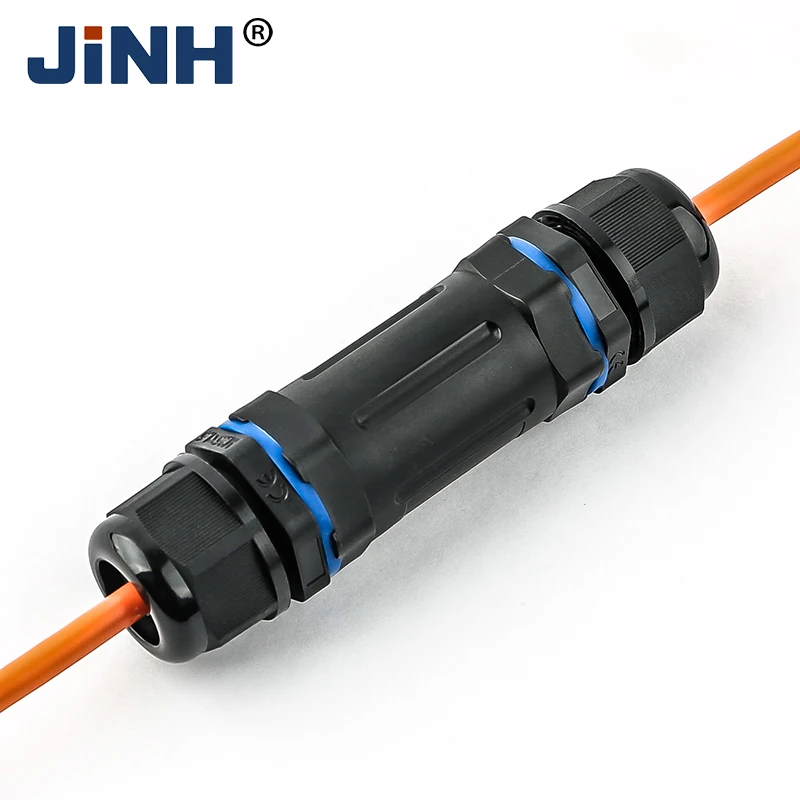
JINH CNP-RJ45 Waterproof RJ45 Connectors
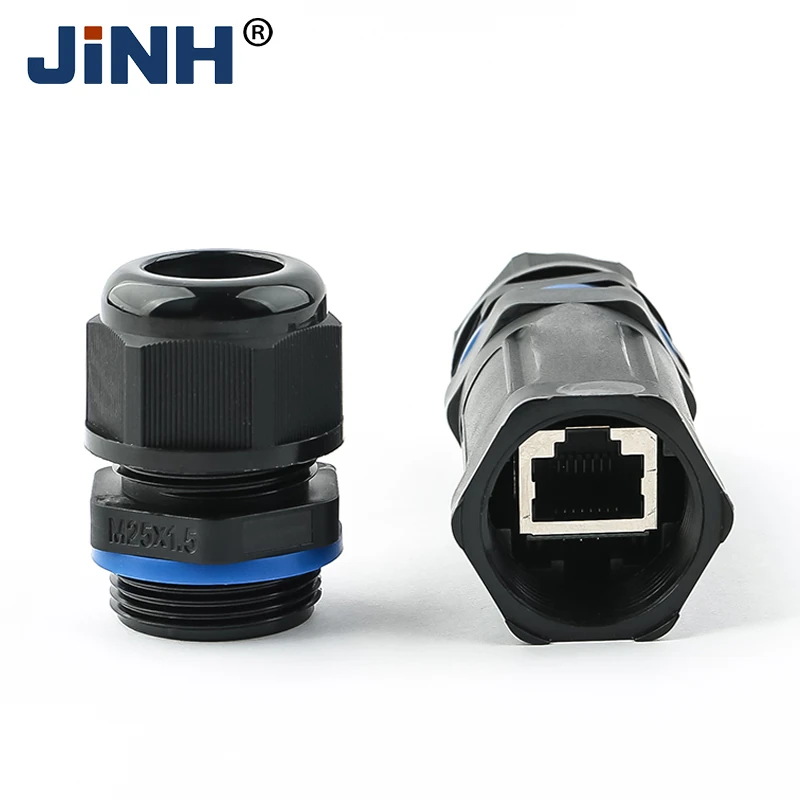
The existing CNP-RJ45 waterproof connector combines an RJ45 connection with a PA66 enclosure. It gives you a specific product to review when your project calls for this network interface inside a protective body. This collection focuses on that existing item rather than presenting ordinary power-wire connectors as network products.
| Published product detail | Information for your initial review |
|---|---|
| Interface | RJ45 |
| Enclosure material | PA66 |
| Body dimensions | 124 × 32 mm |
| Working temperature | -30°C to +85°C |
| Listed protection designation | IP68; confirm the applicable assembled configuration and test conditions |
Use these details to decide whether the product warrants a closer check for your layout. The body dimensions help you estimate its footprint, but they do not establish all clearances needed for cable bends or assembly access. Likewise, a protection designation concerns the enclosure under defined conditions; it does not state the data performance of the network link.
Products in This Collection
Use the CNP-RJ45 product page as the reference for your inquiry. Include the product name with your network specification so that a response concerns this item, rather than a different connector with a similar interface. Keep any confirmed assembly details with the project record.
Send Inquiry Now
How the CNP-RJ45 Protective Connection Works
CNP-RJ45 places an RJ45 connection inside a PA66 protective enclosure. The network interface carries the connection between the cable ends, while the outer body surrounds the joint. This gives you a dedicated enclosure to assess where an ordinary exposed RJ45 joint would not meet the installation’s environmental requirements.
The enclosure and the network interface perform different tasks. The body’s protection designation concerns the completed assembly under its stated conditions. Network performance depends on the exact interface, cable and completed link. The product name alone does not establish a cable category, transmission speed, shielding arrangement or power-over-network capability.
For your installation, use the product’s assembly information to establish how the cable and interface fit together. Include the connection in your normal network acceptance checks. This keeps the environmental review connected to the actual cable link you intend to install, without extending an enclosure claim into an unverified network specification.
Send Inquiry Now
Protect Your RJ45 Joint Within a Defined Footprint
The published 124 × 32 mm body gives you an initial size for locating the connection beside equipment or along a cable route. You can compare that footprint with the available space before finalizing a mounting position. Leave additional room for cable bends, handling and closing the enclosure; overall body dimensions are only one part of the layout.
The PA66 enclosure is a concrete construction feature, and the listed -30°C to +85°C working range gives you an environmental value to compare with the proposed location. Check the complete assembled configuration and protection conditions for the exact product before using those values in your equipment specification.
You can use the CNP-RJ45 product reference to keep purchasing and installation information consistent. Record the cable diameter, jacket details and network requirement alongside it. That record makes it easier to confirm a complete connection while avoiding substitutions based only on a similar-looking black enclosure or blue closure ring.
Outdoor IP Camera Connections
If your outdoor camera installation includes an RJ45 cable joint, review the protection needed at that connection. Confirm the cable fit and network requirements for the complete assembly before selecting the connector for your equipment.
Outdoor Wireless Network Connections
An outdoor access point can place network cabling outside the building. Review the cable connection location and the equipment's interface requirements when assessing a protective enclosure. Confirm any required power-over-network capability separately for the exact assembly.
Industrial Ethernet Connections
For industrial equipment with an RJ45 network interface, review the cable route and available connection space. Assess the complete link against your network specification. These application environments guide your selection; they do not establish compatibility with a particular equipment model.
For an overview of the other connection types, visit the Waterproof Connector collection. For a general guide to organizing your selection information, read How to Choose Waterproof Wire Connectors; use the CNP-RJ45 documentation for this product's actual limits.
Application Scenario

Outdoor IP Camera Connections

Outdoor Wireless Network Connections

Industrial Ethernet Connections
Four Defined Features for Your Product Review
RJ45 Connection Format
The product is dedicated to an RJ45 interface, helping you keep network connection selection separate from mains cable joining products.
PA66 Enclosure
The published shell material gives you a defined starting point when reviewing the body against your project requirements.
124 × 32 mm Body
Published overall dimensions let you assess the initial space requirement before checking the full assembly drawing.
Specified Temperature Range
The listed -30°C to +85°C range gives you a concrete environmental value to compare with conditions at the planned connection location.
Resource


Waterproof RJ45 Connectors FAQ
Confirm the assembly sequence and opening dimensions for your exact plug before ordering. A preterminated cable may include a boot or latch protector that changes its overall size. Send those measurements with a photograph; the overall enclosure dimensions alone do not establish that your fitted plug will pass through every component.
Do not treat an enclosure at a cable connection as a complete condensation-control system. Moisture conditions depend on the equipment and its installation environment. If condensation is a concern, have the equipment design reviewed and confirm the role of the connector within that design rather than relying on the product name alone.
Check the permitted cleaning method for the assembly and follow your equipment isolation procedure. Do not assume that a listed protection designation authorizes pressure washing, solvents or every cleaning temperature. Specify the intended cleaning process when requesting product confirmation so that the response covers your actual maintenance method.
Stop and assess the affected part rather than closing the enclosure over a connection that no longer retains correctly. Identify whether the damage is on the cable plug or another component. Use an appropriate confirmed replacement and repeat the required connection checks before you accept the completed assembly.
Use a replacement confirmed for the exact product and assembly. A seal that looks similar can differ in dimensions or material, affecting how the components close together. Identify the original configuration when requesting a spare and keep the replacement reference with your maintenance record for future use.
Record when the fault occurs, the affected cable route and any recent changes or visible damage. Have the complete link checked using your network troubleshooting procedure. Do not assume the enclosure is the cause or the cure; a useful investigation distinguishes the cable, plug connection and other equipment in the link.


